


DisplayLatch
Control external monitor brightness on your Mac, for free

Scheduled for launch week · Aug 2 – Aug 8
This page is live now, but homepage visibility starts that week after admin approval. The website link stays nofollow until launch week begins, then switches to dofollow.
About DisplayLatch
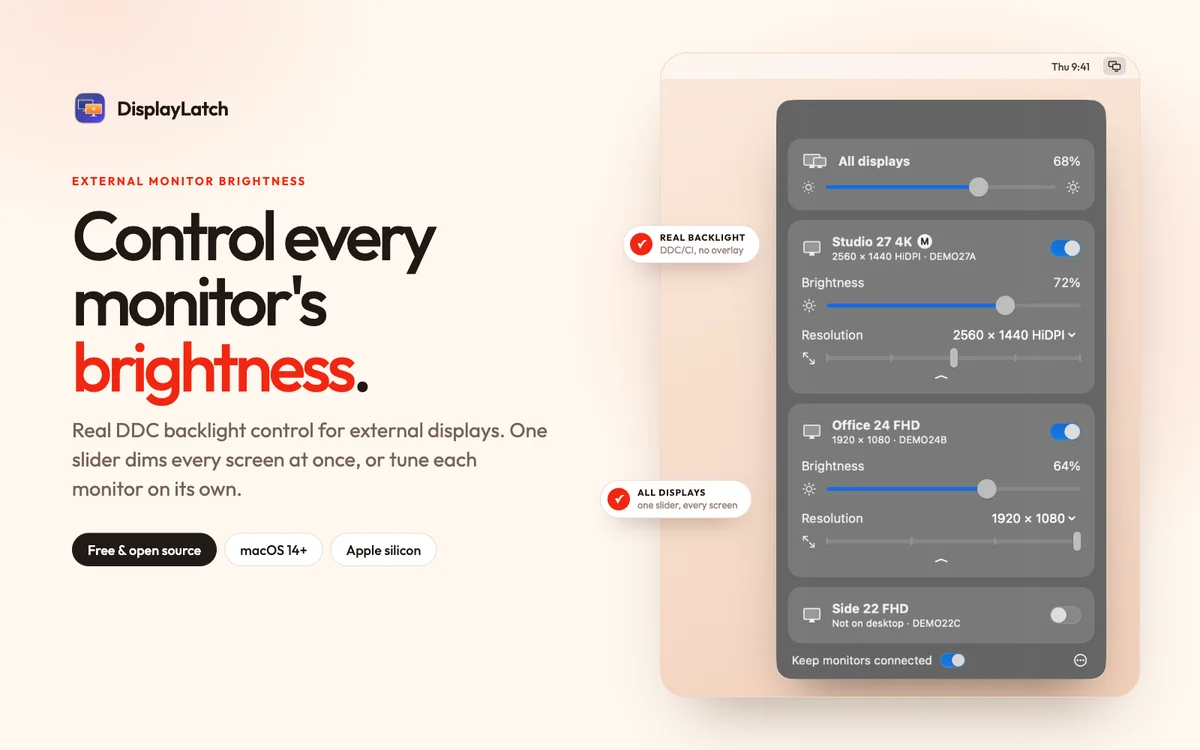
DisplayLatch is a free, open-source menu-bar app for Macs with external monitors.
macOS only changes brightness on Apple displays. DisplayLatch talks to other monitors over DDC/CI, the same channel their own buttons use, so the backlight really changes instead of a dark overlay being drawn on top. Drag a slider per monitor, or use one All displays slider to dim the MacBook screen and every monitor together.
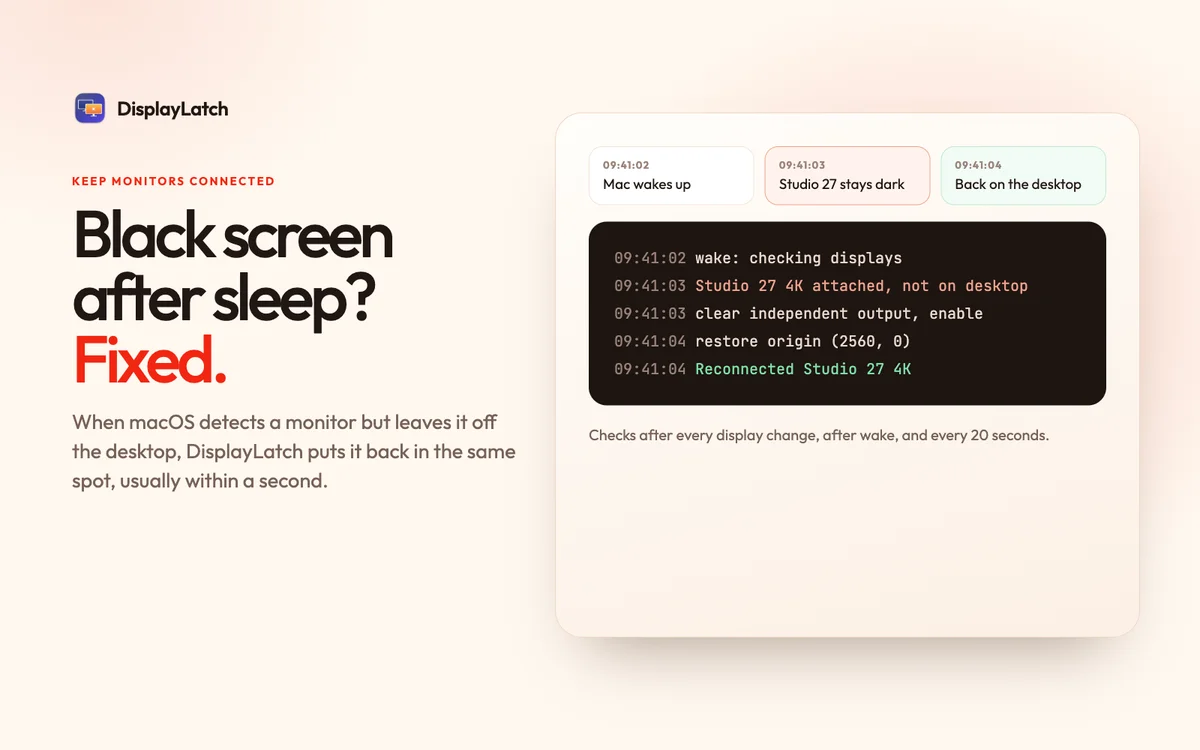
It also fixes a common multi-monitor problem: after sleep, wake or a restart, macOS sometimes still detects a monitor but keeps it off the desktop, and saves that state. DisplayLatch notices the monitor that is attached but missing and puts it back, in the same place in your arrangement, usually within a second.
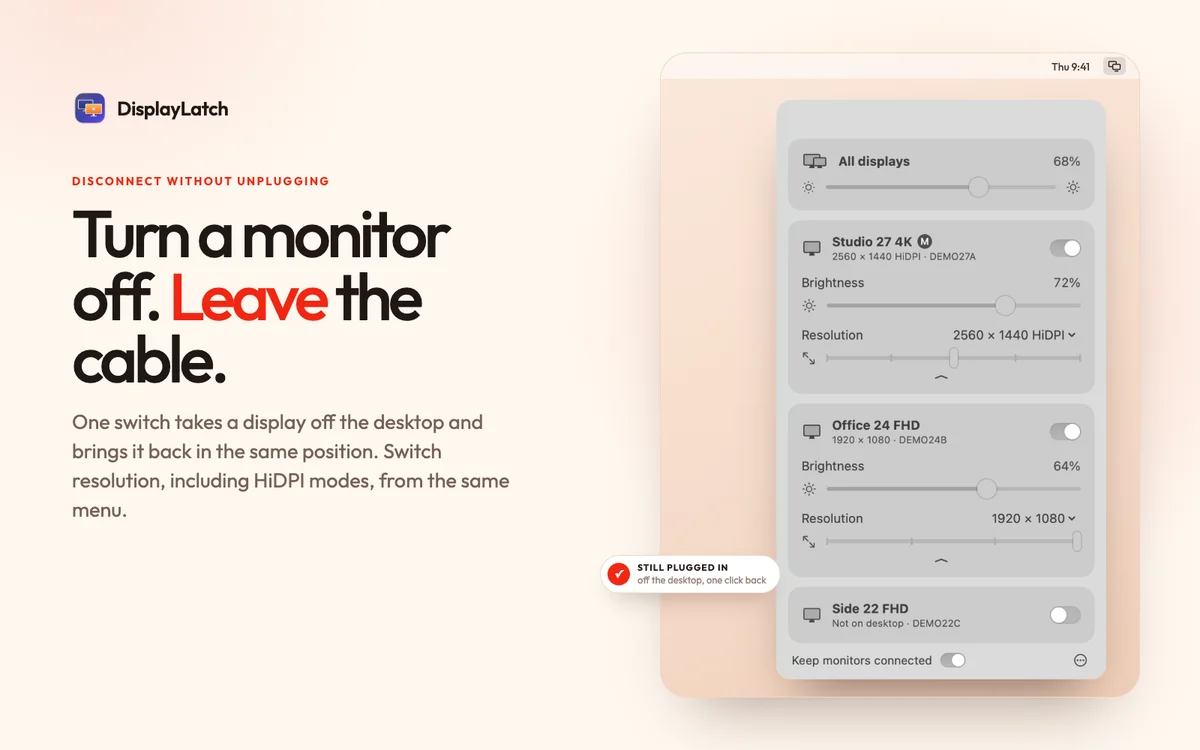
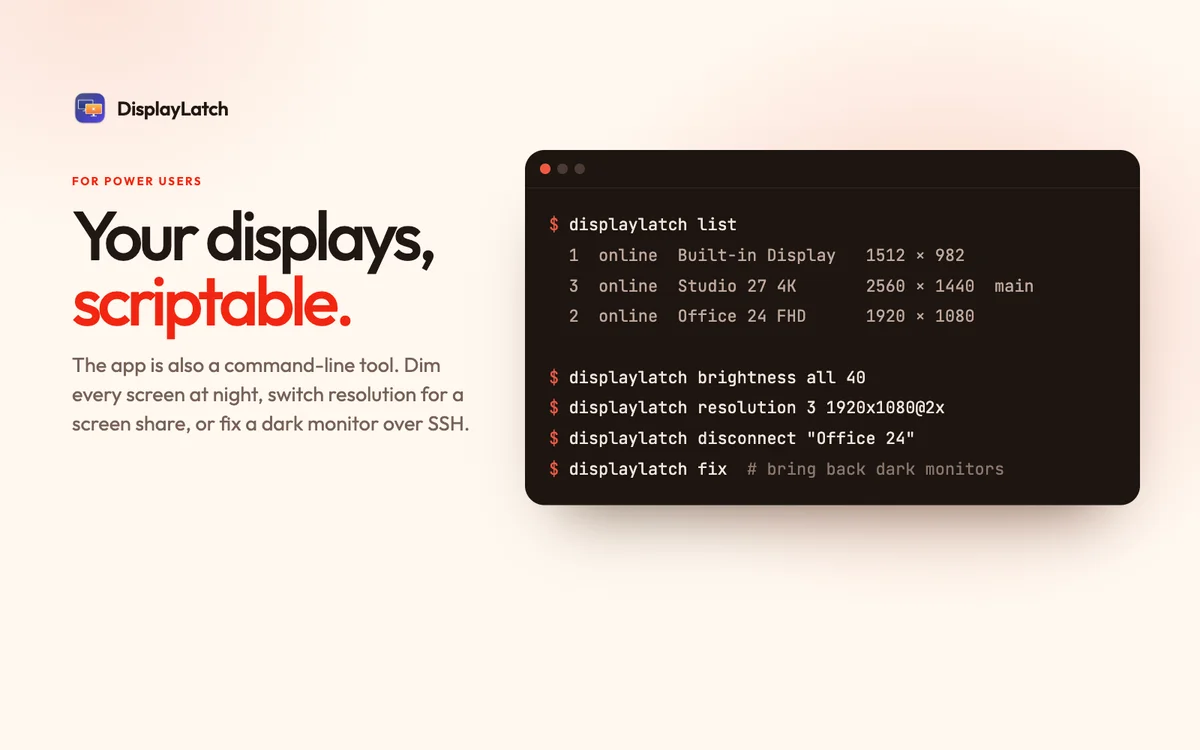
More: disconnect a display without unplugging it, switch resolution including HiDPI modes, and a command-line tool for scripts, Shortcuts and cron. Native Swift and SwiftUI, about 1.5 MB, no account and no tracking. MIT licensed. Requires macOS 14 or later on Apple silicon.
DisplayLatch launched on Founder.best on Aug 2, 2027 by DisplayLatch Team and is listed under Productivity.
Key features
- External monitor brightness over DDC/CI: changes the real backlight, not an overlay
- One All displays slider dims the MacBook screen and every monitor at once
- Auto-reconnect: brings back monitors macOS leaves black or off the desktop after sleep
- Disconnect a display without unplugging it, and switch resolution including HiDPI
- Command-line tool for scripts, Shortcuts and cron
- Pricing
- Free
- Platform
- macOS, Desktop, CLI
- Launched
- Category
- Productivity
Use cases
- Desktop Customization
- Personal Productivity
- Task Automation
Ideal for
- Developers
- Designers
- Freelancers
Screenshots
Reviews
No reviews yet. Be the first to rate this product!
Comments
to leave a review or comment
No comments yet. Start the conversation!