


Scheduled for launch week · Feb 15 – Feb 21
This page is live now, but homepage visibility starts that week after admin approval. The website link stays nofollow until launch week begins, then switches to dofollow.
About Typebar
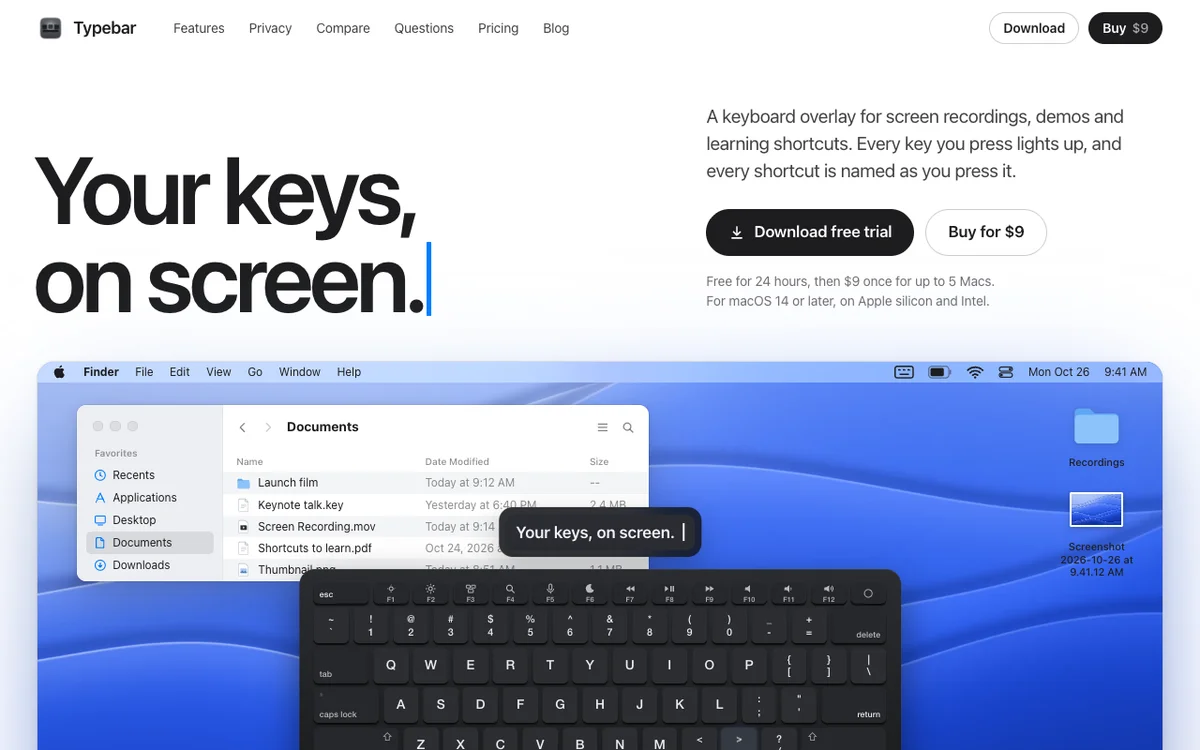
Typebar is a keyboard overlay for the Mac, made for screen recordings, demos and learning shortcuts. Every key you press lights up on an on-screen keyboard, and a pill names each shortcut from the app's own menus, like Screenshot Selection for Shift Command 4.
Hold a modifier and the keys show what they do in the app in front. There are cheatsheets for every app, 20 hand-made packs and your own keybindings from 11 apps. Click ripples, a cursor halo, Spotlight, six switch sounds and 40 themes with a theme editor are built in.
Password fields stay private, and nothing you type is saved or sent anywhere. Typebar can show itself when a recording starts and hide when it stops.
Free for 24 hours, then $9 once for up to 5 Macs. macOS 14 or later, on Apple silicon and Intel.
Typebar launched on Founder.best on Feb 15, 2027 by Niranjan S and is listed under Productivity.
- Pricing
- One-time
- Platform
- Desktop
Reviews
No reviews yet. Be the first to rate this product!
Comments
to leave a review or comment
No comments yet. Start the conversation!